
When someone searches "restaurant near me" or "best salon in Gwalior", Google shows a map with three businesses at the top. Those listings come from Google Business Profile (earlier called Google My Business). It is free, and for most local businesses it is the single most useful thing to set up online.
Step 1: Create your profile
- 1Go to google.com/business and sign in with a Google account you will keep long-term — ideally a business account, not a staff member's personal one.
- 2Enter your business name exactly as it appears on your board. Do not add extra keywords like "Best Clinic Gwalior" — Google can suspend profiles for this.
- 3Choose the most accurate primary category (for example "Dental clinic" or "Indian restaurant"). You can add more categories later.
- 4Add your address if customers visit you, or your service area if you visit them.
- 5Add your phone number and website.
Step 2: Verify your business
Google needs to confirm that your business is real and that you own it. Depending on your business, it may offer verification by phone, SMS, email, a short video of your premises, or a postcard sent to your address. Until you are verified, your profile will not show up properly in search.
Step 3: Complete every section
Profiles with complete information tend to get more calls and visits. Fill in:
- Opening hours, including special hours on festivals and holidays.
- Business description — up to 750 characters on what you do and who you serve.
- Photos — the outside (so people can find you), the inside, your team and your products or work. Add new photos regularly.
- Services or menu with prices where possible.
- Website link — a proper website gives people more reasons to trust you. See what a website costs.
Step 4: Get more reviews — the right way
Reviews are one of the biggest reasons people choose one business over another on Google Maps. To get more of them:
- Ask every happy customer at the right moment — after a good meal, a successful treatment, or delivery of their order.
- Make it easy: a QR code at the counter or a link on WhatsApp that opens the review box directly.
- Reply to every review, good and bad. A polite reply to a complaint shows future customers that you care.
- Never buy fake reviews or offer rewards only for 5-star reviews — it is against Google's policies and can get reviews removed or the profile restricted.
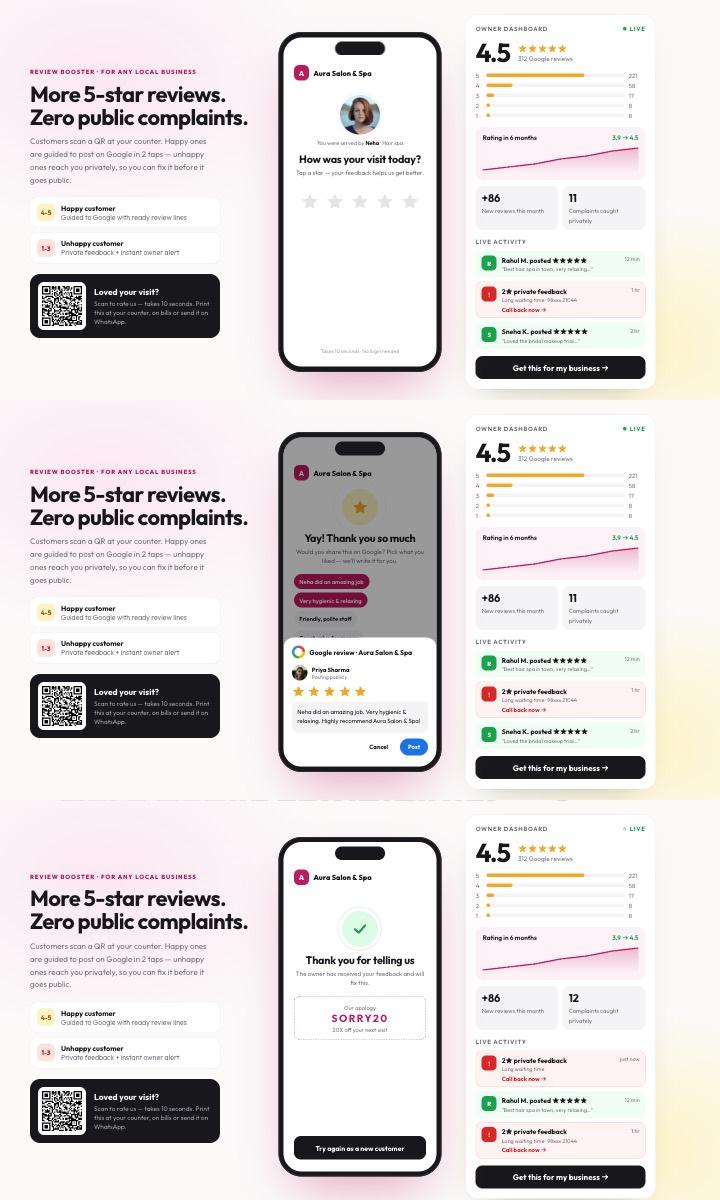
Our Google Review Booster does exactly this: happy customers are guided to Google, and unhappy ones can send private feedback so you can fix the problem first.
 Live demo
 Google Review Booster
Marketing ToolsCustomers scan a QR and rate you — happy ones post on Google in two taps, unhappy ones reach you privately before it goes public.
- QR at the counter
- Ready-made review lines
- Private complaints
- Owner dashboard
 Live demo
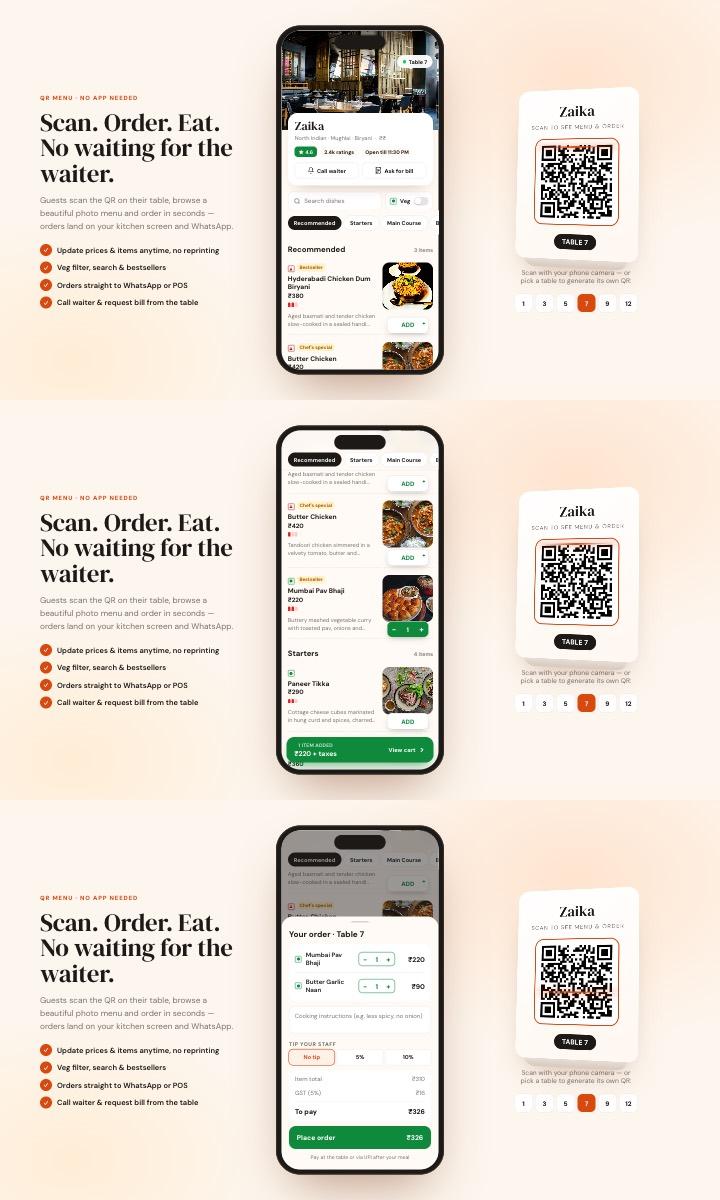
 QR Digital Menu
Food & HospitalityContactless scan-to-order menu — photo menu, veg filter, cart with GST bill, call-waiter button and live order tracking.
- Table-wise QR codes
- Cart & GST bill
- WhatsApp ordering
- Live order status
 Live demo
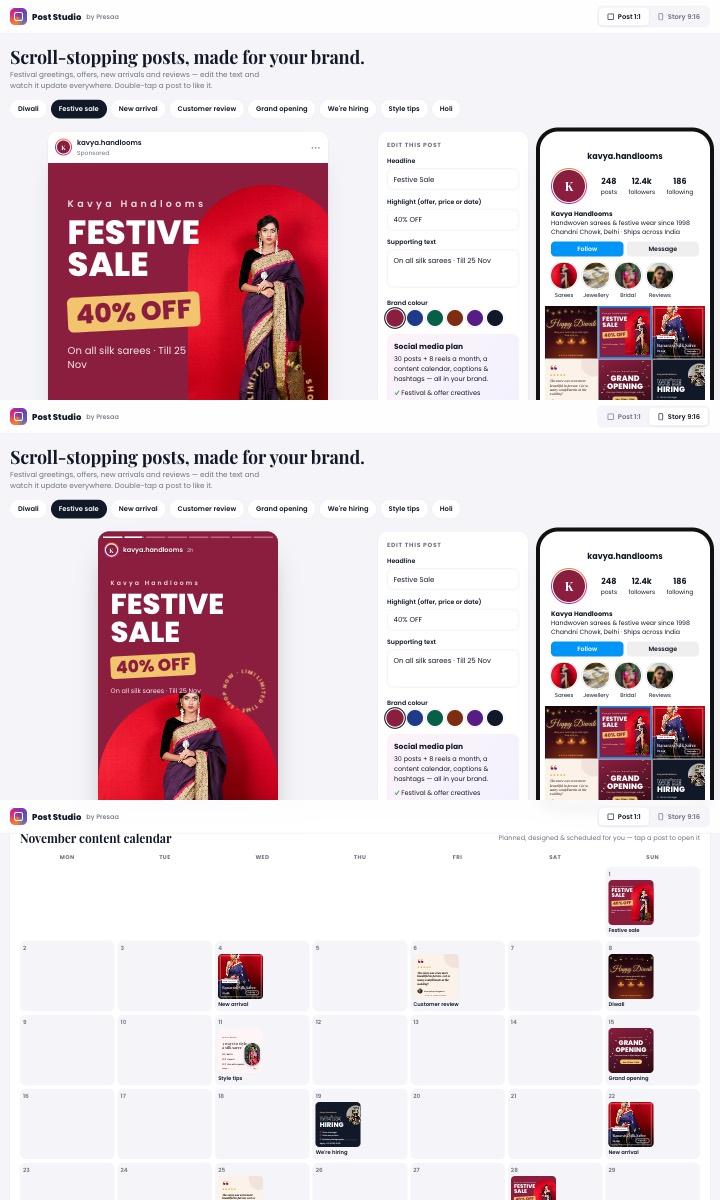
 Social Media Post Studio
Marketing ToolsFestival greetings, sale, new-arrival and review posts in your brand — with stories, an Instagram profile preview and a monthly calendar.
- 8 post designs
- Posts & stories
- Live text editing
- Content calendar
Step 5: Keep it active
- Post updates and offers — festive offers, new products, events.
- Answer the questions people ask in the Q&A section.
- Keep your hours and phone number correct. Wrong information is the fastest way to lose a customer.
- Make sure your name, address and phone number are the same on your website, Google, Facebook, JustDial and everywhere else.
Common mistakes to avoid
- Adding keywords or city names to the business name.
- Creating more than one profile for the same location.
- Using a staff member's personal Google account — you lose access when they leave.
- Ignoring negative reviews.
Want us to set it up for you?
We set up and manage Google Business Profiles along with your website and social media — so customers find you everywhere.
See Digital Marketing